
Blog Comercial Web Net - São Paulo - SP
E-mail: [email protected]
E-mail: [email protected]
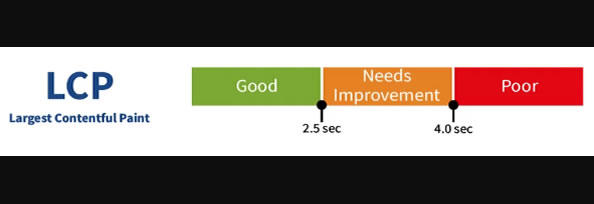
aspect-ratio para reduzir CLS.fetchpriority="high".srcset/sizes).
<link rel="preload" as="image" href="/img/hero-1200.webp" imagesrcset="/img/hero-800.webp 800w, /img/hero-1200.webp 1200w" imagesizes="(max-width: 900px) 90vw, 1200px">

<img src="/img/hero-1200.webp" width="1200" height="630" loading="eager" fetchpriority="high" alt="Hero">
defer/async), minimize CSS e use CSS crítico inline.preconnect para CDNs e preload de fontes; use font-display: swap.
<link rel="preconnect" href="https://fonts.gstatic.com" />

<link rel="preload" href="/fonts/Inter-400.woff2" as="font" type="font/woff2" crossorigin>

@font-face{ font-family: Inter; src: url(/fonts/Inter-400.woff2) format('woff2'); font-display: swap; }

 no Lighthouse.)